 Wasi's Log
I’ve been using Cloudflare Pages for a while and recently decided to jot down my setup process and workflow in a note. Deploying websites often involves juggling build steps, configuration, and waiting for updates to propagate. Cloudflare Pages simplifies much of that, but it’s not magic, you still need to understand your build and routing.
What I like is how it reliably handles the background details while keeping the focus on code. This note is a practical walkthrough from my perspective, highlighting what works and what I’ve learned along the way.
Getting Started with Cloudflare Pages
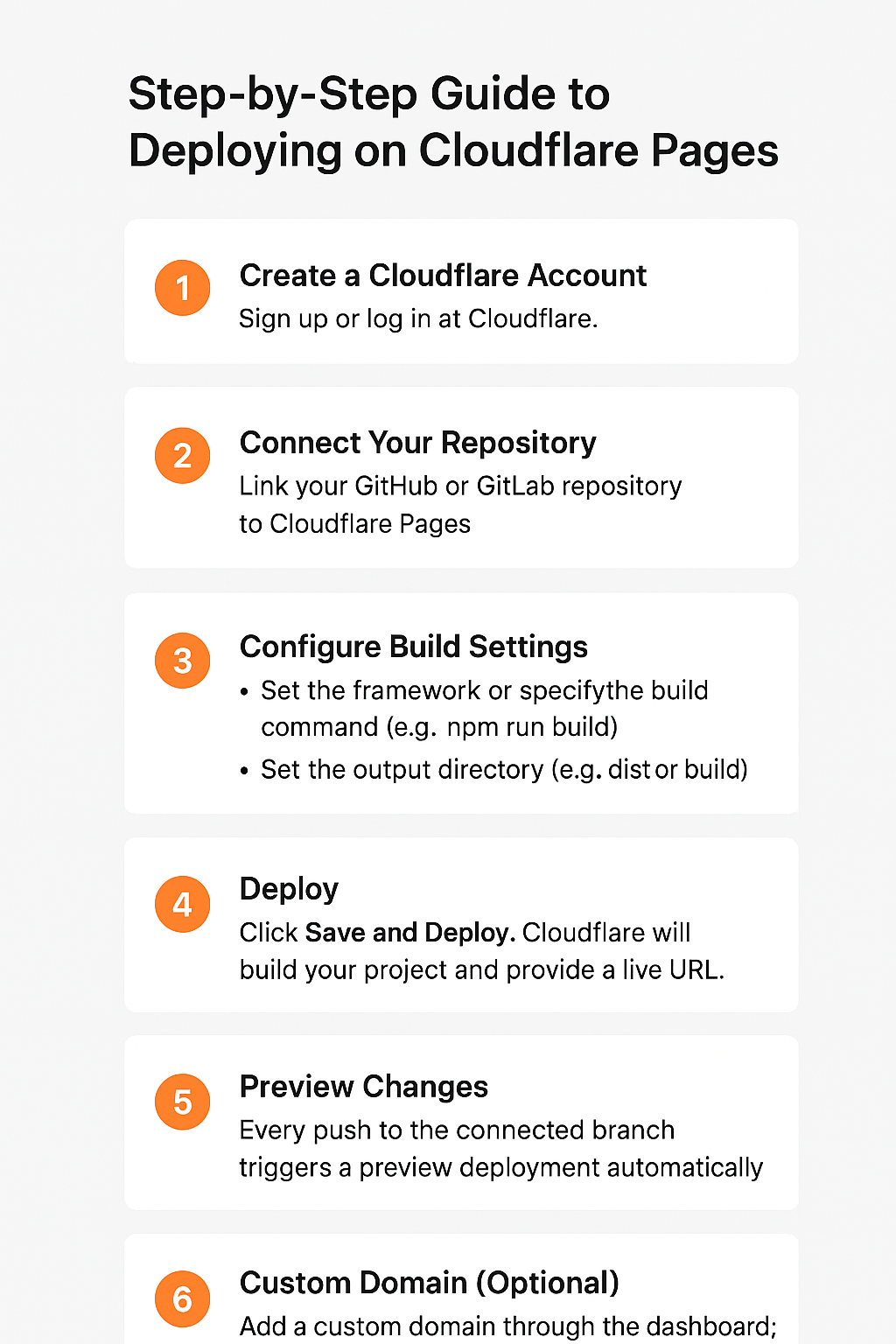
Setting up a project on Cloudflare Pages is straightforward. You link your Git repository, choose the branch to deploy, and specify the build command and output directory. Unlike some other platforms, there’s no complicated server configuration.
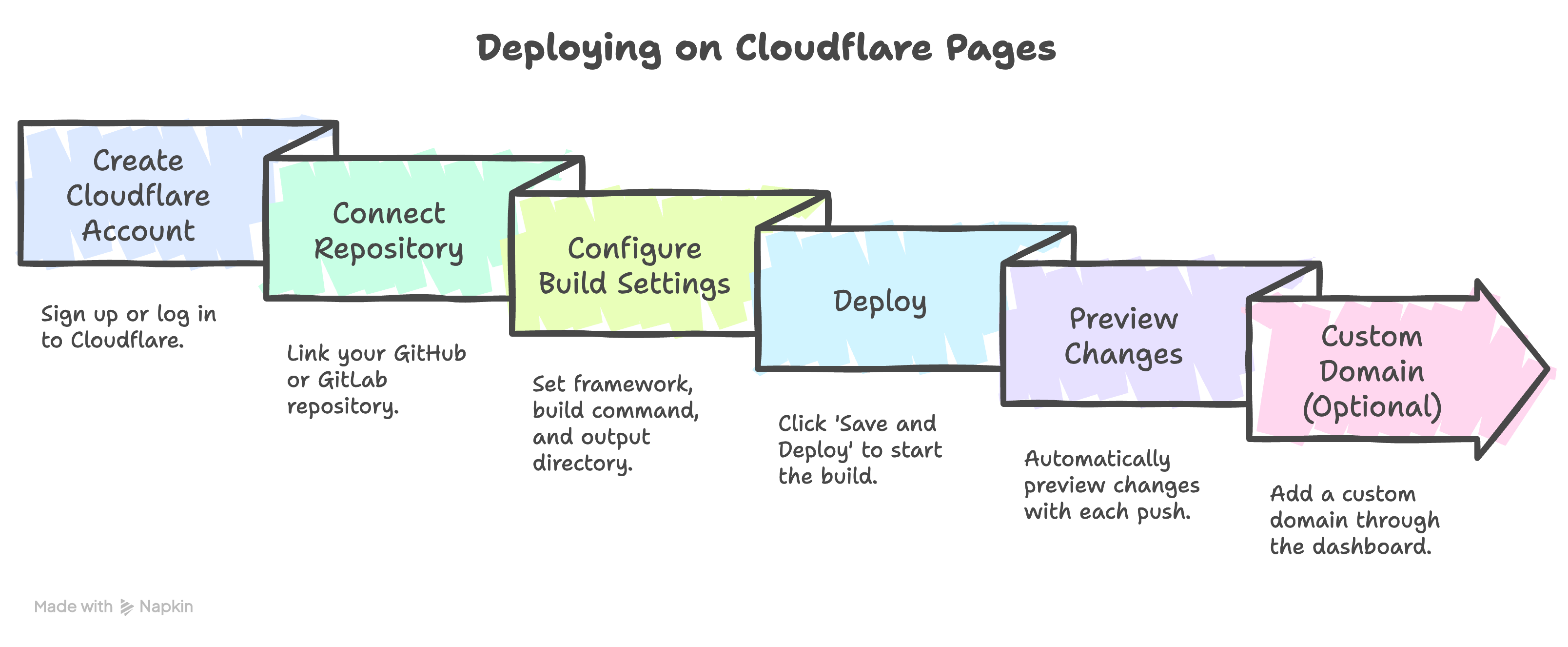
What’s nice is seeing the preview environment spin up instantly for every pull request. It makes testing changes fast and reduces friction in the development workflow. Misconfigured build commands or output paths are the main sources of deployment errors, so double-check those early.
Deployment workflow and build optimization
Every push triggers a build environment using isolated containers. The default setup automatically detects frameworks like Next.js, Hugo, or plain HTML/JS projects. You can configure a custom build command and output directory.
Caching is important for performance. Pages caches dependencies between builds, but explicitly caching node_modules or other package manager artifacts can significantly reduce build times for larger projects. I make sure package-lock.json or yarn.lock is used to guarantee consistent builds and prevent unnecessary reinstallation of dependencies.
For larger assets or static sites with many images, I implement a preprocessing step that resizes or compresses assets before committing. This prevents build times from increasing unexpectedly. I also check build logs for warnings about unused dependencies or large bundles, as they often silently slow deployments.
Analytics, custom headers, and automated previews
Cloudflare Pages integrates smoothly with analytics tools without requiring additional server setup. I rely on lightweight, privacy-focused analytics to monitor traffic and performance metrics directly from the edge. This approach avoids slowing down the site or adding unnecessary dependencies.
Custom headers are configured in the _headers file at the project root. I use them to enforce security policies, caching strategies, and content-type rules. Setting these headers at build time ensures consistent behavior across all environments and reduces the risk of misconfiguration when deploying multiple projects.
Automated previews are a major productivity booster. Every pull request triggers a preview URL, allowing me to verify changes in a real environment before merging. I combine this with branch-specific environment variables to safely test experimental features without affecting production. These previews also make QA and client feedback more immediate, streamlining the development workflow.
Edge functions and Serverless capabilities
One of the features that makes Cloudflare Pages feel powerful is its support for edge functions. These lightweight serverless functions run at the edge, close to users, reducing latency and enabling dynamic behavior without a full backend. I use them for tasks like API request handling, authentication, and feature toggles.
The setup is straightforward. Functions live in the functions/ directory, and the deployment process automatically picks them up. Because these functions execute near the user, I can implement personalization or caching strategies that would otherwise require a traditional server setup.
For me, edge functions bridge the gap between static deployments and dynamic applications. They allow experimentation without overcomplicating the architecture, making it possible to keep projects performant, maintainable, and secure.
Build configuration and CI/CD optimization
Cloudflare Pages makes build configuration simple but flexible. Each project has a build command and an output directory, usually defined in the dashboard or wrangler.toml for more advanced setups. I rely on this to automate compiling my frameworks into fully optimized static assets.
What I appreciate is the seamless integration with Git. Every push to a branch triggers a build, and previews are generated automatically. This setup eliminates the manual steps I used to handle in other environments and gives me immediate feedback on changes.
I also tweak environment variables and caching headers to optimize deployment speed and asset delivery. By adjusting these settings, I can control performance without touching the code itself.
Custom domains, SSL, and security settings
Once the site is deployed, I configure custom domains directly in Cloudflare Pages. It automatically provisions SSL certificates, which removes the hassle of manual certificate management. I can also enforce HTTPS redirects, ensuring secure connections without additional configuration.
For security, I use Cloudflare’s built-in features like bot protection, DDoS mitigation, and caching rules. These settings are resilient against common attacks.
Comparison to other deployment options
I’ve explored Netlify, Vercel, and traditional self-hosted setups. Cloudflare Pages stands out for its speed, simplicity, and built-in security. Deployments are fast, previews work reliably, and HTTPS is configured automatically. The integration with Cloudflare’s CDN ensures low-latency performance globally, without the need for manual configuration or extra services. For a technically-minded developer, it offers a streamlined workflow without sacrificing control or reliability.
Last thoughts
Using Cloudflare Pages has transformed how I deploy and manage simpler projects. The platform removes friction around setup, deployment, and security, letting me focus on building rather than configuring infrastructure. For developers who value speed, reliability, and simplicity, it offers a practical, efficient workflow without unnecessary overhead.